Lantern
A warmer light.
Right in Control Center.

Lantern
Warm/yellow flashlight output with native intensity controls, right in Control Center.
Free · Jailbreak required · Check compatibility
Made for Control Center
Explore Lantern on iPhone
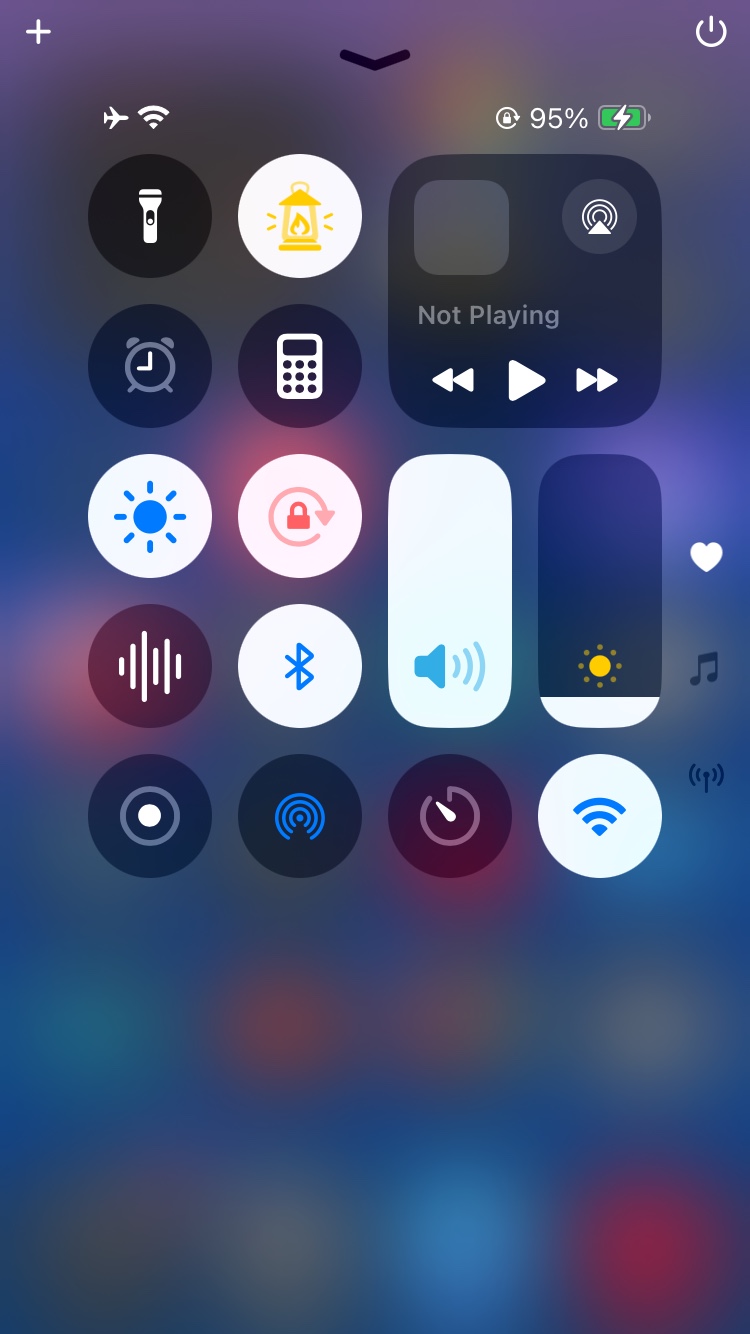
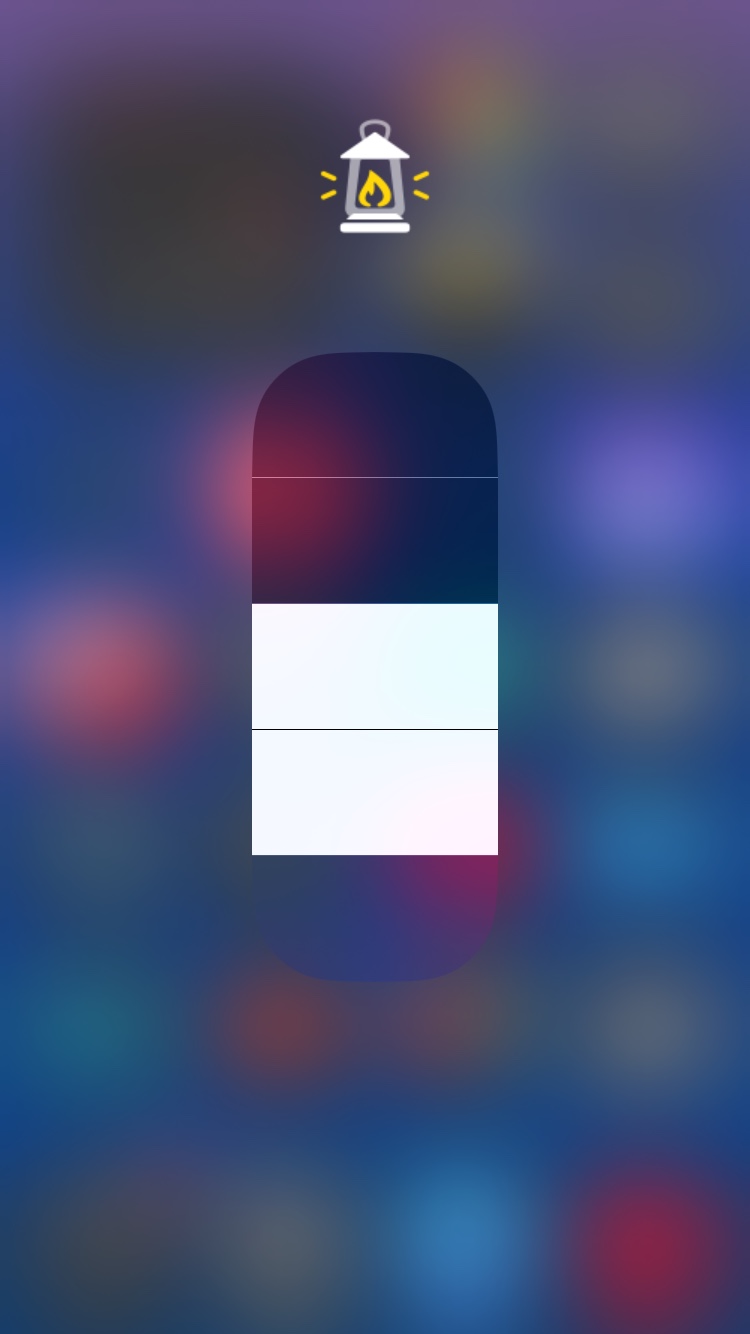
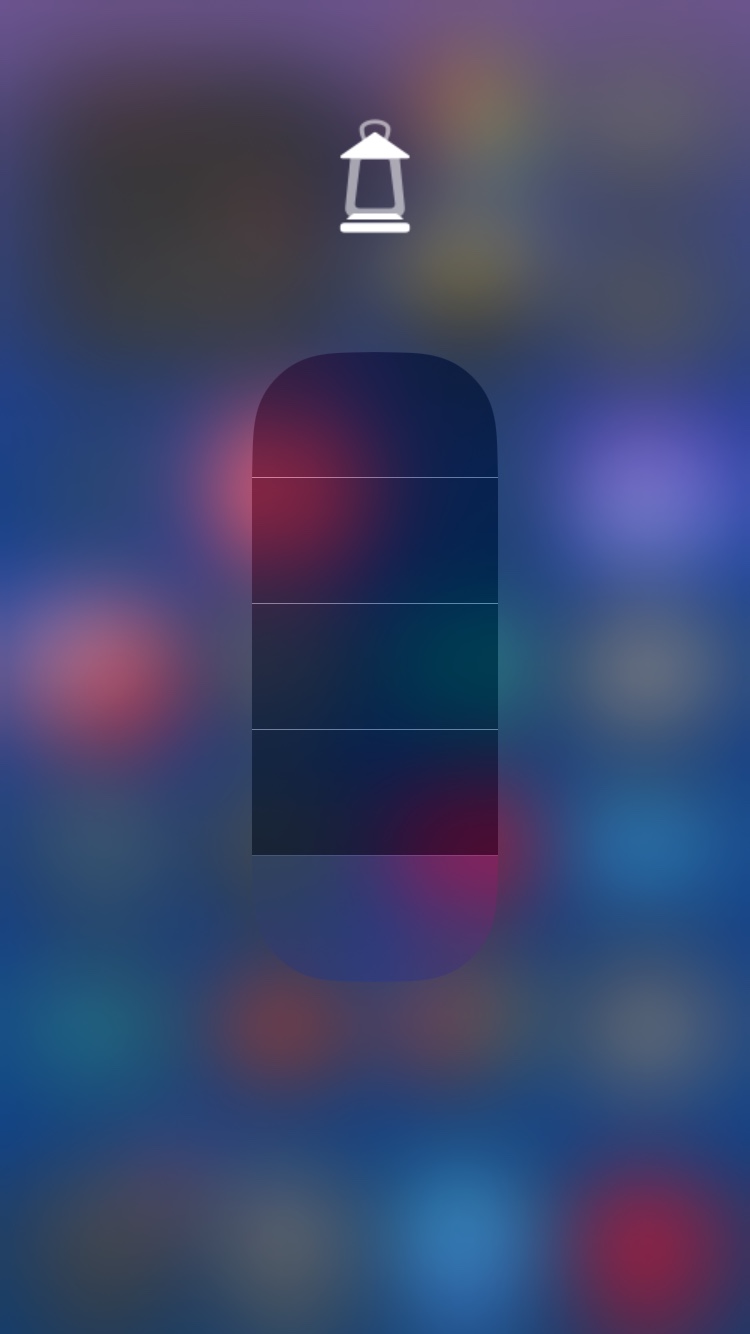
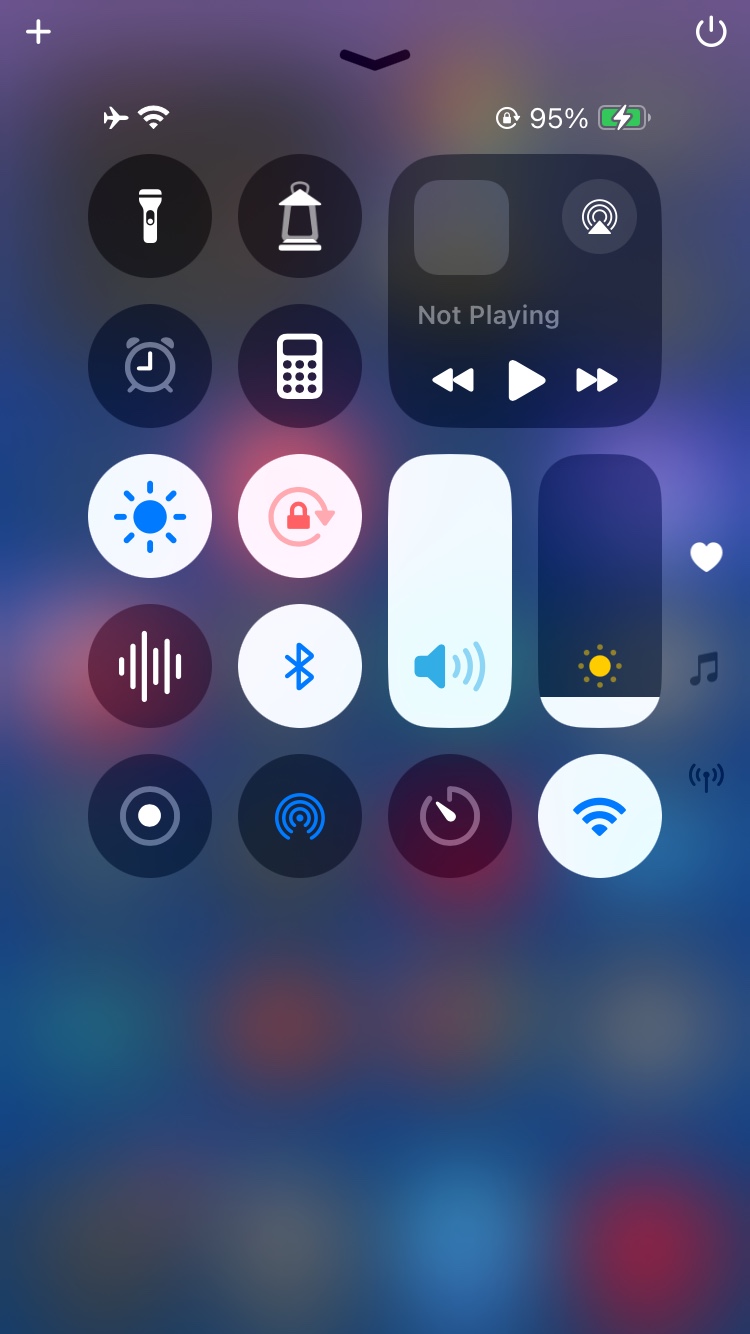
Native controls. Warm light.
Lantern adds a warm flashlight control to Control Center. Tap to toggle, or open the expanded control to adjust brightness with Apple's native intensity slider. Apple's stock flashlight remains available for white light.
The expanded ON header combines a white and translucent-white lantern with yellow flame and rays. The intensity slider keeps its native appearance.
Known limitations
- Switching between Lantern and Apple's flashlight at the same brightness may require a second interaction to update physical output.
- Apple's expanded flashlight intensity interface can display its active indicator while Lantern is operating.
Compatibility & known issues
Verified on one reference environment. Other devices, iOS versions and jailbreaks are unverified.
- Device
- iPhone SE (2nd generation)
- System
- iOS 18.2 · 22C152
- Jailbreak
- Dopamine 3.0.10 · rootless
- Dependencies
- CCSupport · mobilesubstrate
- Tested CCSupport
- 1.3.13-3~ios18fix1
- Package architecture
- iphoneos-arm64
Before you install
- Owner-observed: iPhone 14 Pro, iOS 17.0 (21A329), Dopamine rootless: selecting Lantern crashes SpringBoard during Control Center initialization and enters Safe Mode. The cause is unknown. Warm-light capability on iPhone 14 Pro is unverified.
- Tester-reported, not independently verified: iPhone 11 Pro, iOS 18.1.1, converted RootHide installation: the control appears, but the light reportedly remains white. Conversion does not establish compatibility.
- Other reports, not independently verified: Safe Mode on iOS 16.5.1 and functionality on other iOS 18 configurations. These do not establish broader support; reported failure causes remain unknown.
If a crash or Safe Mode occurs, stop testing and keep any existing reports. Do not reproduce a crash to collect logs. Report compatibility from observations already made; review attachments for private information.
Install from 0chium's Repo
Open this page in Safari on your jailbroken iPhone and use Add to Sileo above. If Sileo does not open, add the repository URL manually.
Lantern is free. Donations are optional. Support Development.
Manual source-add instructions
- Copy the HTTPS URL above.
- Open Sources in Sileo and choose its add-source action.
- Paste the URL, confirm, then refresh sources.
- Find Lantern 0.1.2-1 and install through the package manager.
Unsigned repository. The source-add link opens Sileo.
Activation, updates & removal
Activate after installation
Turn the flashlight off and close Camera before package installation, updates or removal. Use your package manager for all three operations.
The package has no automatic activation scripts. On the verified environment, restart cameracaptured and reload SpringBoard using these root-shell commands:
/var/jb/usr/bin/killall -TERM cameracaptured
/var/jb/usr/bin/sbreload
A respring alone is not the verified complete procedure. Repeat the activation procedure after updates or removal. Add Lantern using Control Center's editing controls.
Developed by
0chium
Free, open-source software for your jailbroken iPhone.
Original code: MIT. Artwork: separate redistribution permission.
Support & source
Found a problem? Include your device, iOS version, jailbreak, Lantern version and exact observations. Remove private information from attachments.
Report an issue · View source on GitHub
Verified release download
Lantern 0.1.2-1 · iphoneos-arm64
SHA-256
0456e46ca5000f2218d023f39b6d29f1f415b354d89b2a8cbf73a4da09b295a8